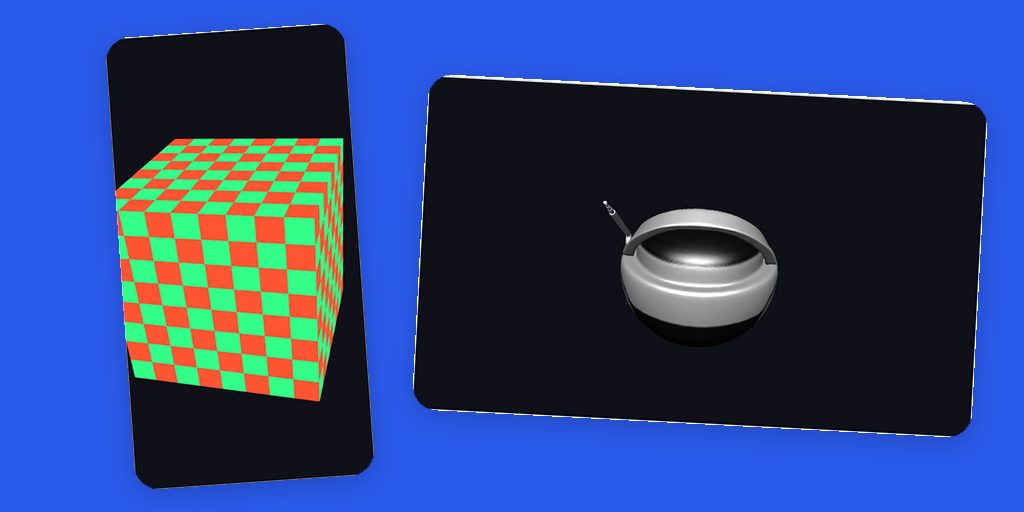
Cross-platform 3D is one of those problems that looks impossible when you list the constraints. iOS wants Metal and Metal Shading Language. Android wants OpenGL ES and GLSL. The web wants WebGL. Windows wants Direct3D and HLSL. Every one of these has its own shader language, its own pipeline model, and its own buffer semantics. Most portable engines solve this by making you write shaders multiple times, or by adopting a giant dependency that becomes your whole application.
PR #5151 takes a different path. The new com.codename1.gpu package is a portable 3D API where applications never write shader source at all. You describe a Material: its lighting model, color, texture, shininess. Per-platform generators emit the actual shader, GLSL ES on Android and WebGL, Metal Shading Language on iOS and Mac, HLSL on the new native Windows port. One Java code base, five GPU backends.
A cube in one screen of code
The API centers on a Renderer you implement and a RenderView that hosts it. Here is a complete Phong-lit cube:
RenderView view = new RenderView(new Renderer() {
    private final Camera camera = new Camera();
    private Mesh cube;
    private Material material;

    public void onInit(GraphicsDevice device) {
        cube = Primitives.cube(device, 1.6f);
        material = new Material(Material.Type.PHONG)
                .setColor(0xff3366ff)
                .setShininess(24f);
        camera.setPerspective(45f, 0.1f, 100f)
                .setPosition(2.6f, 2.1f, 3.4f)
                .setTarget(0f, 0f, 0f);
        device.setLight(new Light().setDirection(-0.4f, -1f, -0.55f));
    }

    public void onResize(GraphicsDevice device, int width, int height) {
        camera.setAspect((float) width / Math.max(1, height));
        device.setViewport(0, 0, width, height);
    }

    public void onFrame(GraphicsDevice device) {
        device.clear(0xff101018, true, true);
        device.setCamera(camera);
        float[] model = Matrix4.rotation((float) Math.toRadians(25), 0.35f, 1f, 0.12f);
        device.draw(cube, material, model);
    }

    public void onDispose(GraphicsDevice device) {
    }
});
form.add(BorderLayout.CENTER, view);
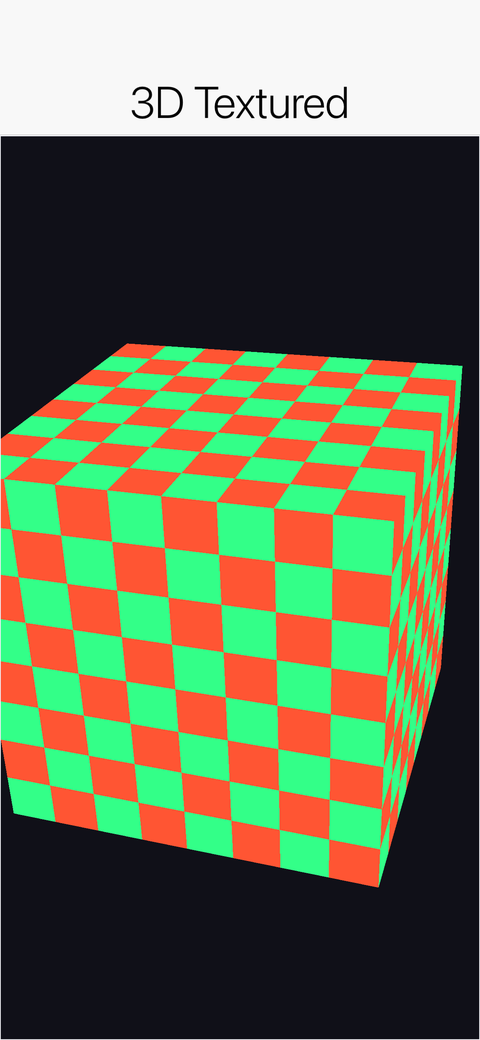
RenderView is a regular Codename One component. It participates in layout, sits next to buttons and labels, and the surrounding form keeps working exactly as before. This is a textured variant of the same code running on an iPhone through Metal:
Real models, not just primitives
Primitives gives you cubes, spheres, and friends for getting started, but real content comes from 3D tools. The GltfLoader reads binary glTF (.glb), the de-facto standard interchange format that Blender and practically every modern 3D tool export:
GltfLoader.GltfModel model = GltfLoader.loadModel(device,
        Display.getInstance().getResourceAsStream(getClass(), "/boombox.glb"));
Mesh mesh = model.getMesh();
Material material = new Material(Material.Type.PHONG)
        .setTexture(model.getBaseColorTexture());
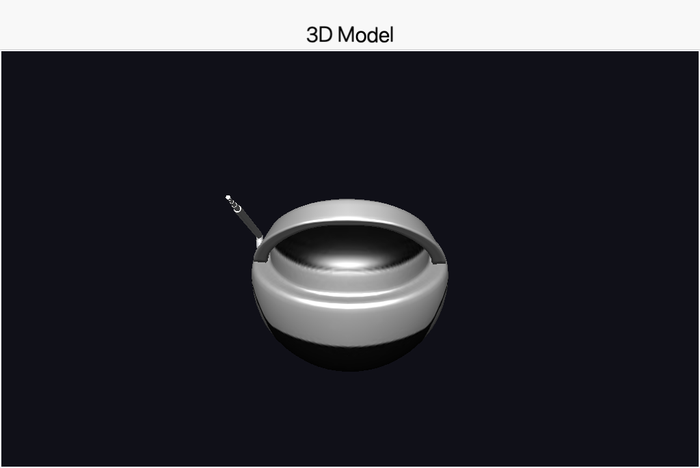
The model ships as a regular project resource, so the same asset loads on every platform. Here is the Khronos BoomBox sample (about 6,000 triangles with its own base-color texture) rendering on the native Mac target:
What runs where
| Platform | Backend |
|---|---|
| iOS / Mac native | Metal (CAMetalLayer), runtime MSL compilation, pipeline cache |
| Android | OpenGL ES 2 via a GLSurfaceView peer |
| Web (JavaScript port) | WebGL on a canvas peer, reusing the core GLSL generator |
| Windows native | Direct3D 11, HLSL generated and compiled at runtime |
| Simulator (JavaSE) | OpenGL via JOGL by default, with a pure-Java software rasterizer as the fallback |
The simulator’s fallback deserves a note: it is a complete depth-buffered, perspective-correct, textured, lit rasterizer written in plain Java. When OpenGL isn’t available, headless CI machines for instance, rendering keeps working and stays deterministic, which is how our screenshot test suite gates 3D output on every platform.
On iOS there is one more trick. Vertex and index buffers are backed by SIMD-aligned arrays, so the mesh data sits at a fixed, aligned C address that is handed to Metal directly with no intermediate copy. Java arrays in, GPU buffers out, nothing in between.
Two levels of API
The hybrid design goes deeper than materials. Most applications stay on the high level: Mesh, Material, Camera, Light, and Primitives, with Matrix4 providing the usual transform helpers (perspective, look-at, rotation, scaling, multiplication) as plain float[16] arrays with no object churn per frame.
Underneath sits a command layer for people who know exactly what they want. VertexBuffer and IndexBuffer hold your geometry, VertexFormat describes its layout through typed VertexAttribute usages (position, normal, texture coordinates, color), and Texture exposes wrap and filter modes. RenderState controls depth testing, culling, and blend modes per draw call. Everything funnels through GraphicsDevice, which is the one object a Renderer ever talks to, and GpuCapabilities reports what the device underneath can actually do, maximum texture size for instance, so you can scale content to the hardware.
Two details matter for performance. Pipelines are cached by descriptor, so a thousand draws with the same material compile one shader, not a thousand. And rendering is on-demand by default: a static scene renders when something changes (requestRender()), while setContinuous(true) switches to a steady frame loop for animation. On-demand is the difference between a 3D product view that sips battery and one that drains it.
Designed to degrade
Not every environment has a GPU backend. RenderView.isSupported() tells you whether real 3D is available, and where it isn’t the view renders a placeholder rather than failing. The seam into the platform layer mirrors how BrowserComponent works internally, so ports that don’t implement 3D simply report it as unsupported and everything else keeps running.
This is a foundation
A portable 3D API is useful on its own, for product viewers, data visualization, and the occasional spinning logo. But the reason it exists is tomorrow’s post: a game development API that builds sprites, scenes, physics, and sound on top of this layer.
If you render something and it doesn’t look right on one of the backends, please file an issue with the model or code attached. Five GPU backends mean five ways for an edge case to hide, and real reports are how the generators improve.
The new 3D Graphics and Shaders chapter in the developer guide covers both API levels in depth, including the shader generation model and per-platform notes. Friday’s release post has the full index of this week’s posts, and tomorrow's post builds games on top of this API.
Discussion
Join the conversation via GitHub Discussions.