If you were around Java forums in the late nineties you remember the threads. “How do I compile my Java program to an EXE?” was asked constantly, answered badly, and locked periodically. The real answer for most of three decades was: you don’t, you ship a JVM. Wrapper tools bundled a runtime next to your jar; the result was a directory pretending to be a program.
This week, PR #5144 and PR #5209 deliver the answer that the forum threads wanted all along: your Codename One app now compiles to a standalone native Windows executable with no JVM anywhere. Not bundled, not embedded, not downloaded on first run. The same ParparVM pipeline that has compiled our iOS apps to native code for over a decade now translates your Java/Kotlin bytecode to C, compiles it with clang-cl, and links a single Win32 .exe.
To be explicit about what that executable contains, because “Java desktop app” carries decades of associations: there is no Swing in it, no AWT, no JavaFX, and no runtime to install. It is the full Codename One framework compiled to machine code, and everything in the framework works there, including the new printing API, the 3D layer, media, networking, storage, and the browser component.
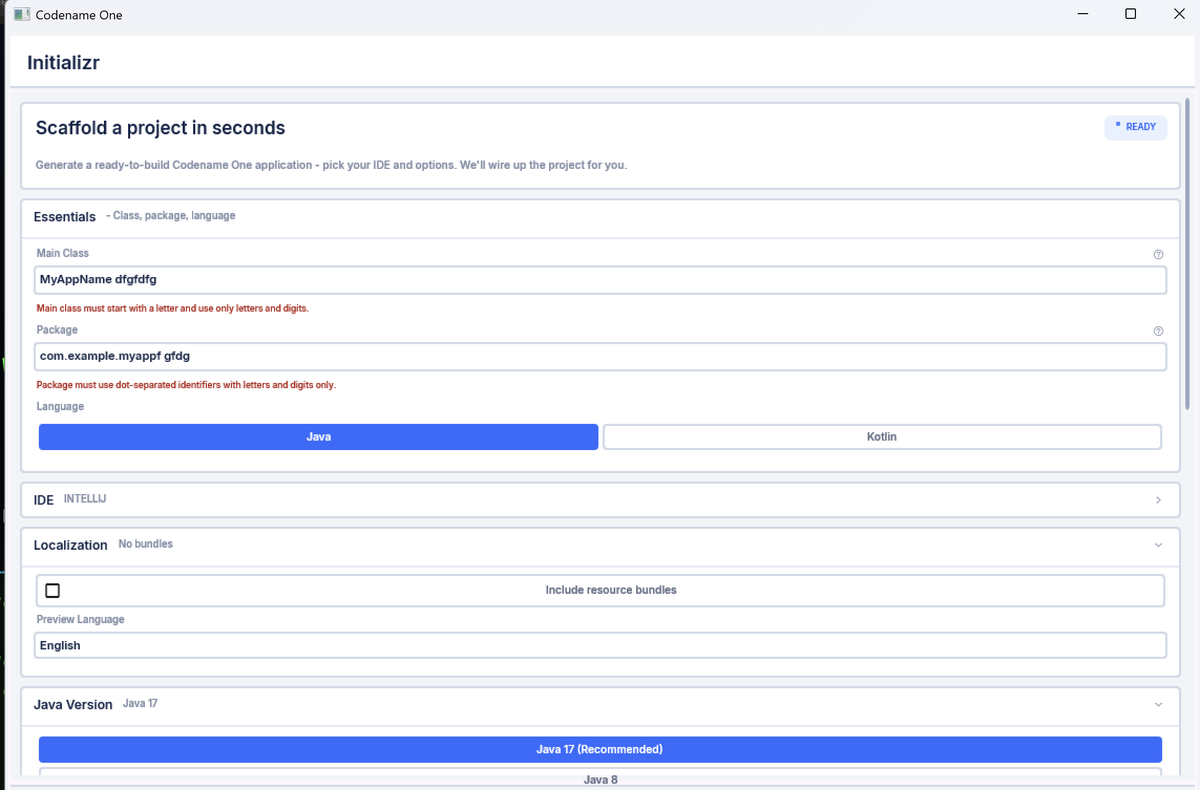
A hello world is around 5MB. The complete Initializr application, the real app from our own site, is around 13MB, and here it is running as a native Windows executable:
One build produces both x64 and arm64 executables, so the new wave of Arm-based Windows laptops is a first-class target, not an afterthought under emulation.
This also completes a story we started two weeks ago. The Mac native target brought the same no-JVM compilation to macOS through the iOS pipeline; with Windows joining it, the same Java code base now produces real native binaries for both major desktops, plus iOS, Android, and the web. Write once, run anywhere was Java’s original promise for the desktop, and it took compiling the JVM out of the picture to actually deliver it.
How this differs from GraalVM
GraalVM native-image is a remarkable piece of engineering and the comparison is worth making precisely, because it is not “GraalVM ships a JVM”. It doesn’t, and it doesn’t support reflection everywhere either; it compiles ahead of time against a closed world, much like we do. The difference is scope: GraalVM aims to support as much of the Java language and platform semantics as possible, for any Java workload, with server-side frameworks as the marquee use case. That ambition is what makes it far more complex, and it is why its binaries, while impressive for what they carry, are heavy by app-distribution standards. It is a tool designed for a different purpose, and it is very good at that purpose.
Our goal is narrower and that is the point. ParparVM compiles your application against a compact runtime designed for shipping apps to end users: no JIT, no class loader machinery at runtime, a concurrent GC, and only the code your app actually reaches. The output is a lean executable that looks and behaves like a program written natively for the machine, because at that point it is one. It is the same trade-off our iOS port has been making since 2012, battle-tested by every app we have ever shipped through it.
A real rendering stack, not a port of a port
The Windows port renders through the platform’s own stack:
- Direct2D for graphics, with the full Codename One drawing pipeline on top
- DirectWrite for text shaping and fonts
- Direct3D 11 for the new portable 3D API, with HLSL generated and compiled at runtime
- WIC for image decoding, WinHTTP for networking, Win32 for storage and the clipboard
- WebView2 backing
BrowserComponent
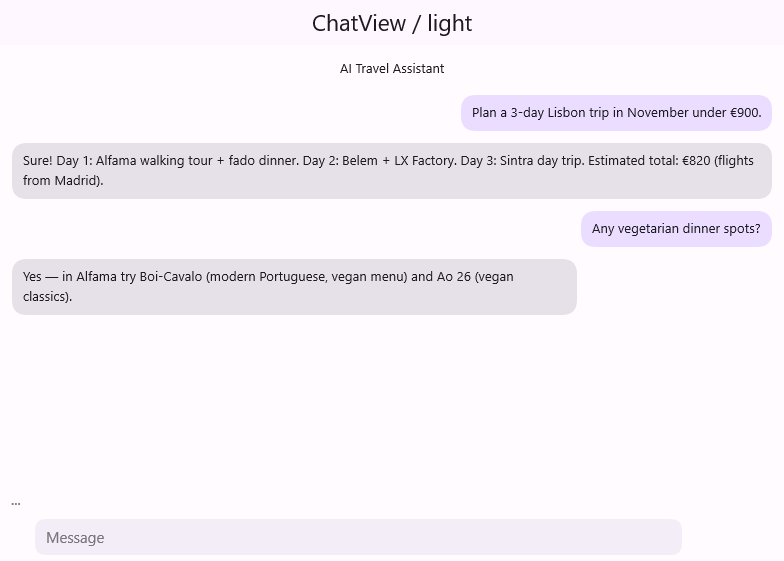
This is the ChatView sample rendering through Direct2D and DirectWrite, from the same Java code that produces the iOS and Android versions:
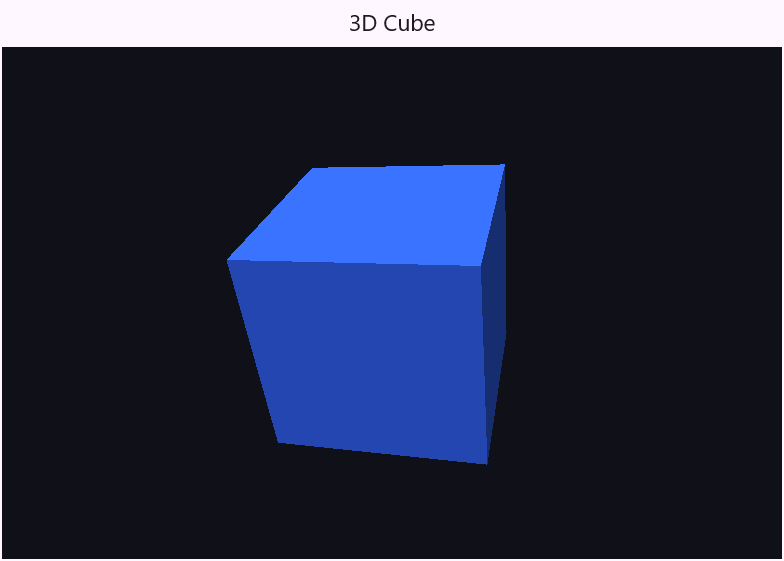
And the 3D API on Direct3D 11:
The desktop details that make an app feel native are in place too. Mouse-wheel scrolling maps onto Codename One’s own tensile scrolling physics through a new shared core API (the JavaSE simulator was refactored onto the same code path, so every desktop port scrolls identically). execute(url) opens the default browser through the real shell launch services, and dial() and the messaging APIs hand off to whatever the user has registered for tel:, sms:, and mailto: links (Phone Link, for instance); when no handler is registered they report failure instead of pretending. The file picker is the actual Windows file dialog, and printing (covered in tomorrow's post) goes through the native print dialog.
How complete is it?
The port is new, and it should be treated as such; we expect to be shooting down teething issues over the coming weeks, and we want to hear about every one of them. With that said, it covers far more ground than “new port” usually implies. The same screenshot test suite that gates iOS, Android, the web, and the Mac target runs against the Windows port in CI on every change, on both x64 and arm64 runners, with more than 120 screenshot baselines covering components, themes, transitions, graphics, charts, and the 3D API. Almost anything that is viable for a desktop app is expected to work.
Where a capability genuinely doesn’t exist on a desktop machine, the port follows a strict rule: phone-hardware APIs (camera-as-sensor flows, GPS-grade location, contacts, push, biometrics) report themselves as unsupported rather than fabricating data. Existing cross-platform feature-detection code keeps working.
Building one
The cloud target is windows-device:
mvn -pl common package -Dcodename1.platform=windows \
    -Dcodename1.buildTarget=windows-device
A regular build returns x64 and arm64 release executables; set the windows.debug build hint for a single x64 debug build. The build runs on our Linux build servers, which cross-compile the Windows PE directly, and if you’re on a Windows machine with the toolchain installed, local-windows-device does the same build locally.
There is history here for long-time followers. Codename One has shipped Windows apps before, through UWP and through the JVM-bundled desktop target. This port replaces neither today, but it is the first time the output is what those old forum threads were really asking for: one file, native code, no runtime, double-click and it runs.
Yesterday’s post covered the game development API, and the release post has the full index. The week wraps up with printing and Apple Wallet in tomorrow's post.
Discussion
Join the conversation via GitHub Discussions.