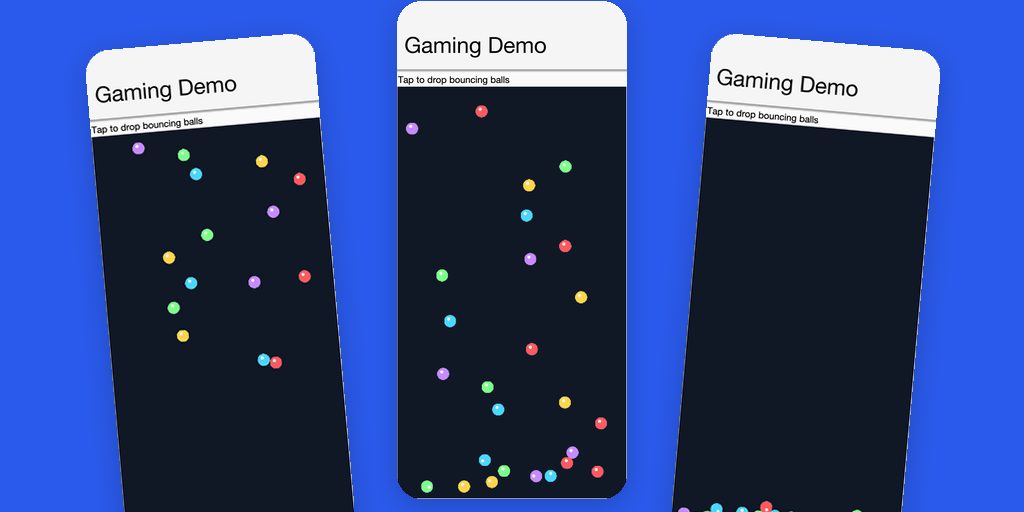
A confession before the feature tour: for years I was very much against adding gaming to Codename One. I used to work in the gaming industry (Jane’s USAF, among others), so this was never about disinterest or not understanding the domain. The opposite: I knew exactly how much a real gaming stack demands, and I felt that tackling it would dilute our focus on being the best cross-platform app framework. But at the rate we have been building up Codename One lately, it has become a manageable and realistic target.
There is also a bigger reason. Java is the ideal game development platform, as proven by Minecraft. It also has serious problems as a game platform, as likewise proven by Minecraft: a heavyweight runtime between you and the machine, painful distribution, and platforms it simply can’t reach. With these APIs, and with native compilation that ships your game as a real iOS app, a real Android app, and now a real Windows executable with no JVM, we can solve most of those core problems while giving indie developers a royalty-free platform for their games. No engine fees, no revenue share, no install-time runtime: Java in, native game out.
So here it is. PR #5166 adds com.codename1.gaming: a game loop, sprites, pollable input, sound effects that fire without latency, and physics, built on the portable 3D API we introduced yesterday and the existing media and animation systems, rather than replacing any of them.
Judging by the reactions in the issue tracker, some of you have been waiting for this one.
The sixty-second tour
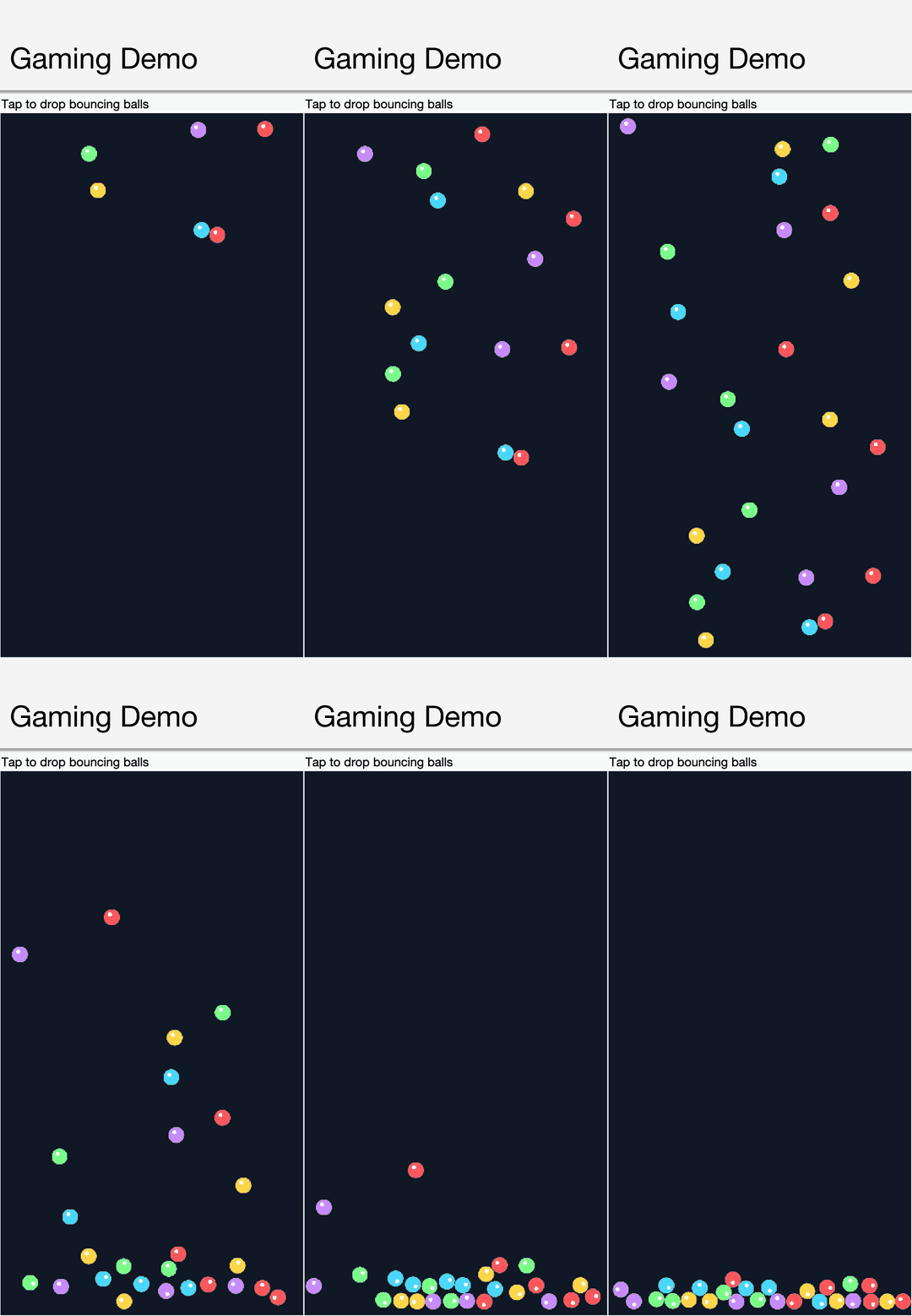
You subclass GameView, implement update(double dt), and you have a game. Here is the complete logic of a demo where balls drop, fall under gravity, and bounce off the floor and walls:
static class PhysicsDemoView extends GameView {
    private PhysicsWorld world;
    private final Image ballImage = makeBall(60, 0xffff5a5f);

    PhysicsDemoView() {
        setClearColor(0xff101826);
    }

    private void setupWorld() {
        int w = getWidth(), h = getHeight();
        world = new PhysicsWorld(0, 900); // gravity in pixels/s^2, downward
        world.createBox(w / 2f, h - 10, w, 20, BodyType.STATIC);   // floor
        world.createBox(-10, h / 2f, 20, h * 2f, BodyType.STATIC); // walls
        world.createBox(w + 10, h / 2f, 20, h * 2f, BodyType.STATIC);
    }

    private void dropBall(float x, float y) {
        PhysicsBody body = world.createCircle(x, y, 30, BodyType.DYNAMIC);
        body.setRestitution(0.7f);
        Sprite s = new Sprite(ballImage);
        s.setPosition(x, y);
        body.setLinkedSprite(s);
        getScene().add(s);
    }

    protected void update(double dt) {
        if (getInput().wasPointerPressed()) {
            dropBall(getInput().getPointerX(), getInput().getPointerY());
        }
        world.step((float) dt);
    }
}
Notice what’s absent: there is no render code. The Scene draws its sprites, and each sprite tracks the physics body it is linked to. This is the demo running in the simulator:
The view drops into a normal form like any component:
Form f = new Form("Gaming Demo", new BorderLayout());
PhysicsDemoView game = new PhysicsDemoView();
f.add(BorderLayout.CENTER, game);
f.show();
game.start();
The game loop
GameView drives its loop through the existing animation system, so it cooperates with the rest of the UI instead of fighting it. It manages the frame rate while running and restores the global value when it stops, and it releases everything automatically when the view is detached from the form.
For deterministic simulation there is a fixed-timestep mode: set setFixedTimestep(1.0 / 60) and update is called with exactly that delta as often as needed, with getInterpolationAlpha() available for smooth rendering between simulation steps. This is the standard pattern for physics-driven games, and it is one method call here.
Input is pollable, the way game code wants it. getInput() exposes level state (isKeyDown, isPointerDown, getPointerX/Y) and per-frame edges (wasKeyPressed, wasPointerPressed), aware of game actions (fire, directional pad) across platforms. No listeners, no event-versus-frame mismatch: you ask, every frame, and act.
Sprites and scenes
Sprite carries position, anchor, rotation, scale, and alpha, plus an axis-aligned bounding box for simple overlap tests. SpriteSheet slices a packed texture into cached frames, AnimatedSprite plays them back, and Scene holds everything in z-order with a camera, so scrolling a level means moving the camera and not repositioning the world.
It matters where those sprites run. GameView extends the RenderView from the portable 3D API, so sprites are not painted pixel by pixel on the CPU: each one is a textured quad composited by the GPU, through Metal on iOS and Mac, OpenGL ES on Android, WebGL on the web, Direct3D 11 on native Windows, and OpenGL through JOGL in the simulator. A sprite’s rotation, scale, and alpha are transformation and blending parameters the GPU applies for free, which is why a scene full of spinning, fading, overlapping sprites holds full frame rate, and why the starfield sample below can animate seventy twinkling stars plus particles without breaking a sweat. Where no GPU backend exists, the same code falls back to the software renderer, so correctness never depends on the hardware.
Because the surface is the 3D surface, the same GameView also scales up to real 3D: a GameCamera in perspective mode, Model instances for meshes, and billboarded sprites that always face the camera. There is no separate “3D mode” to migrate to later; mixing flat sprites and 3D models in one scene is the normal case.
Physics: Box2D in the core
We did not write a physics engine, and that is the point: we took the industry standard. Box2D is Erin Catto’s rigid-body engine, the one behind an entire generation of 2D hits, and JBox2D is its faithful Java port. It ships shaded into com.codename1.gaming.physics.box2d, inside the core with no dependency to add, with the BSD license retained and full attribution in the project NOTICE. On top of it sits an idiomatic wrapper, PhysicsWorld / PhysicsBody / ContactListener, that makes the two classic Box2D paper cuts disappear: the pixels-to-meters conversion and the flipped y-axis are centralized, so your game code stays entirely in screen coordinates.
Bodies are created from boxes, circles, polygons, or any Codename One Shape. Collisions arrive through ContactListener. And setLinkedSprite closes the loop: after world.step(), every linked sprite has already moved to where its body is.
Pure Java matters here. Because the engine is plain bytecode, it runs unchanged through ParparVM on iOS, through the new Windows port, on Android, and on the web. There is no native physics library to bind, version, or debug per platform.
Sound effects that keep up
Music and sound effects have opposite requirements: music wants streaming, effects want zero latency and overlapping playback. MediaManager always covered the former; the new SoundPool covers the latter:
SoundPool sfx = SoundPool.create(12); // up to 12 overlapping voices
SoundEffect blip = sfx.load(stream, "audio/wav");
// later, per bounce, with per-drop pitch:
sfx.play(blip, 0.9f, 0f, rate, 0);   // volume, pan, rate, loop
Each platform backs this with its native low-latency path: android.media.SoundPool on Android, an AVAudioPlayer pool on iOS, and a software mixer with volume, pan, and rate control on the desktop. Where no native backend exists, a pure cross-platform fallback over MediaManager keeps the API functional, and isNativeAccelerated() tells you which path you got.
What can you build?
The repository ships six game samples, each a complete, playable game in a few hundred lines, and each generating every pixel of its art and every sound at runtime, so there are no assets to manage. They double as a tour of the API, one genre at a time. Every capture below is the actual sample being played in the simulator.
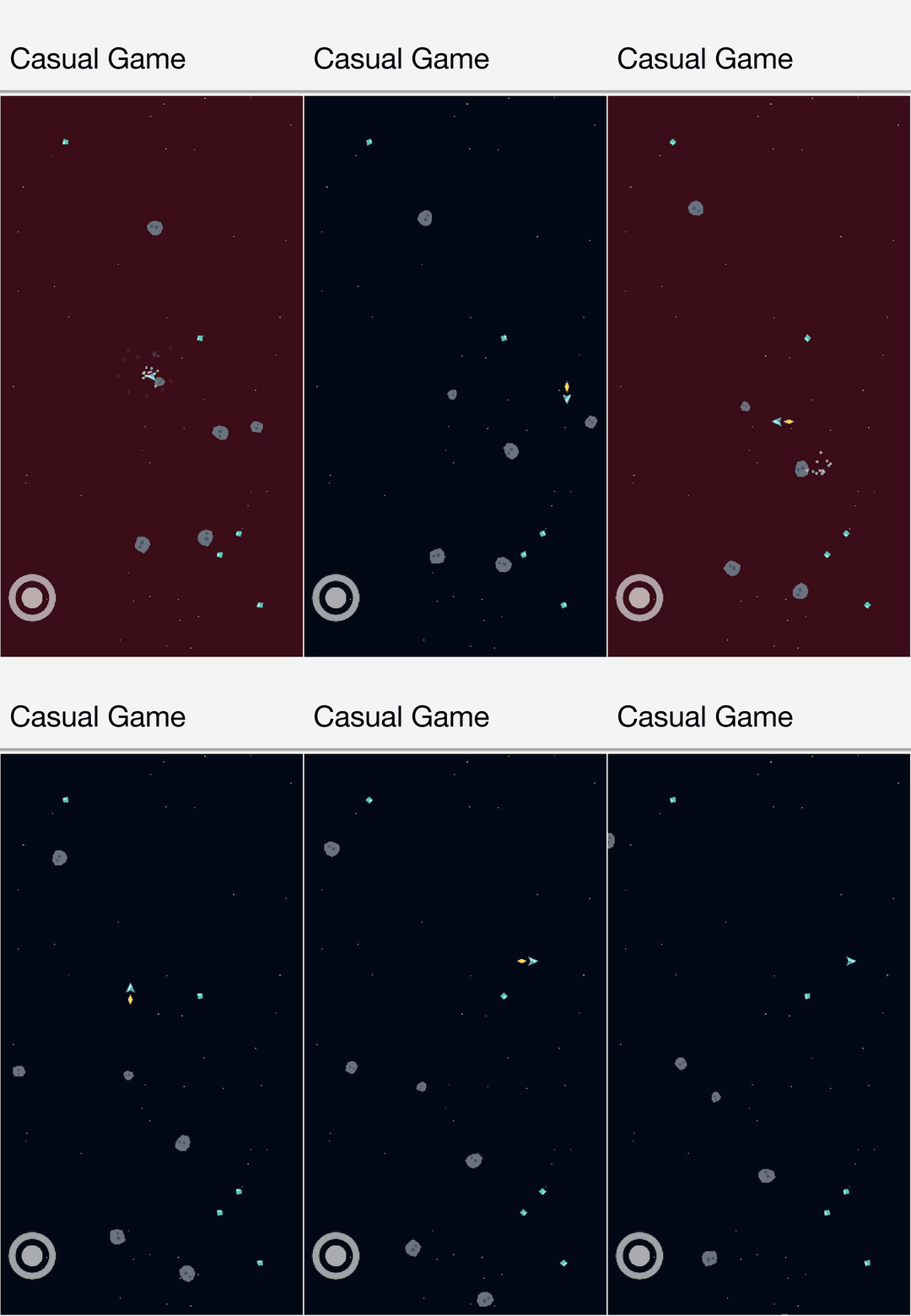
CasualGameSample is an arena collector: pilot a ship around a starfield with the on-screen joystick, scoop up spinning gems, dodge drifting asteroids. It exercises the breadth of the 2D layer: many sprites in one Scene, per-sprite animation, particle bursts, collision, and a TouchControls joystick that drives the same GameInput a keyboard would.
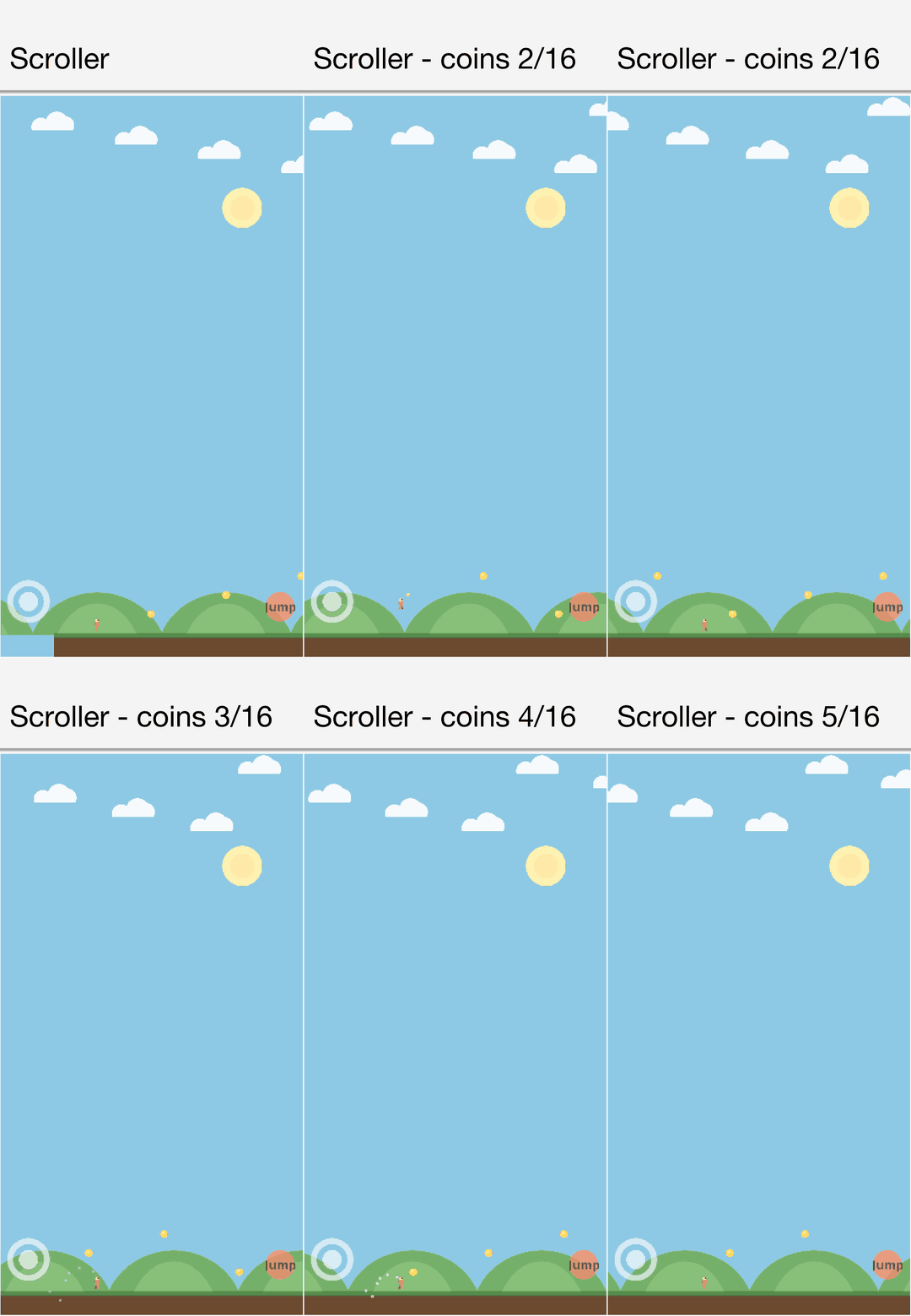
ScrollerGameSample is the side-scroller hello world: run, jump, collect coins. The Scene camera follows the player so the level slides past, an AnimatedSprite walk cycle flips to face the run direction, and a cheap parallax backdrop (fixed sun, drifting clouds, half-speed hills) sells the depth. Its gravity is a few hand-rolled lines, proof you don’t need the physics engine for a platformer feel.
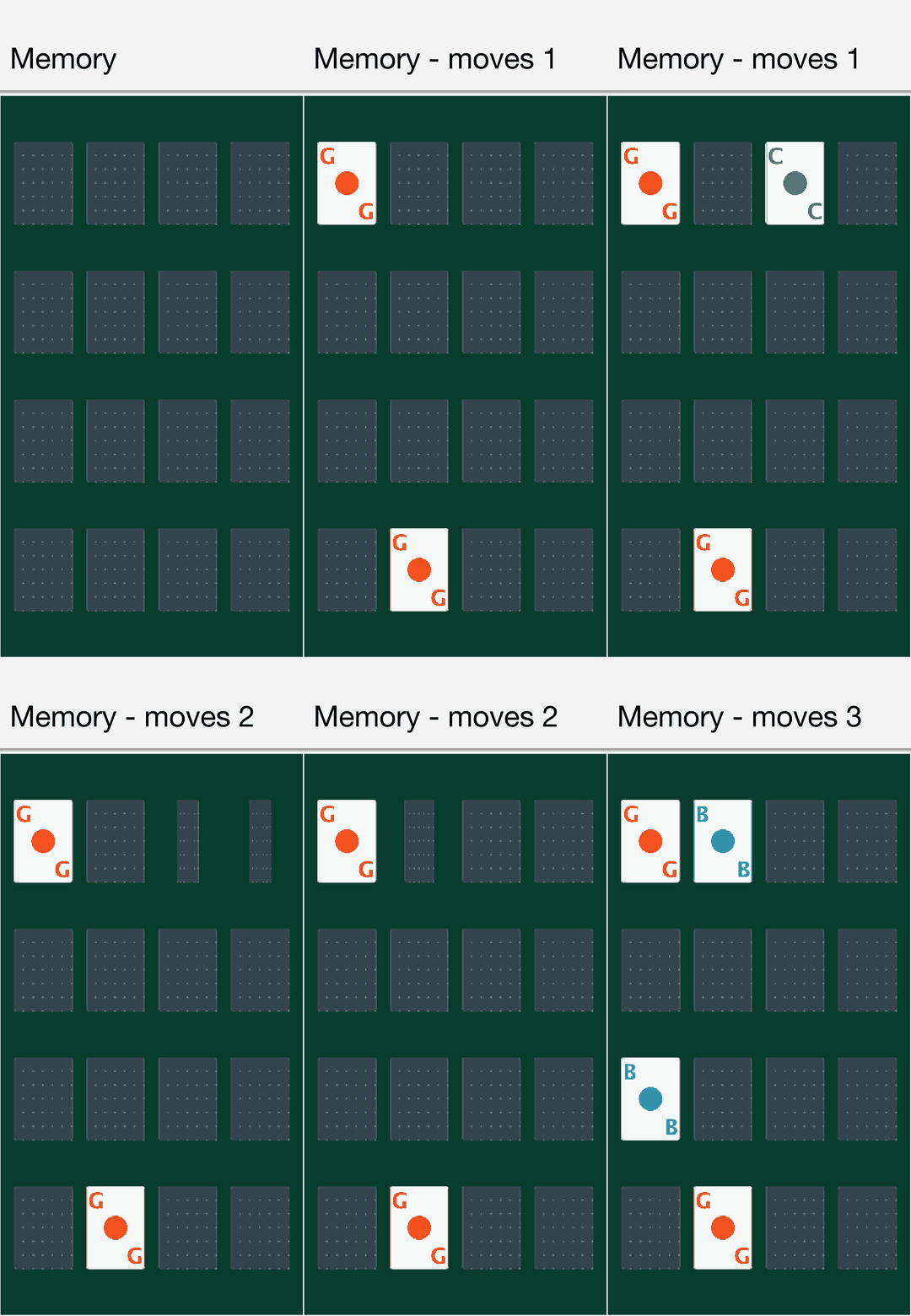
CardGameSample is Memory (Concentration): a sprite per card, a horizontal flip animation that swaps the face at the midpoint, tap hit-testing through GameInput, and a small game state machine. The structure transfers directly to any card or tile game.
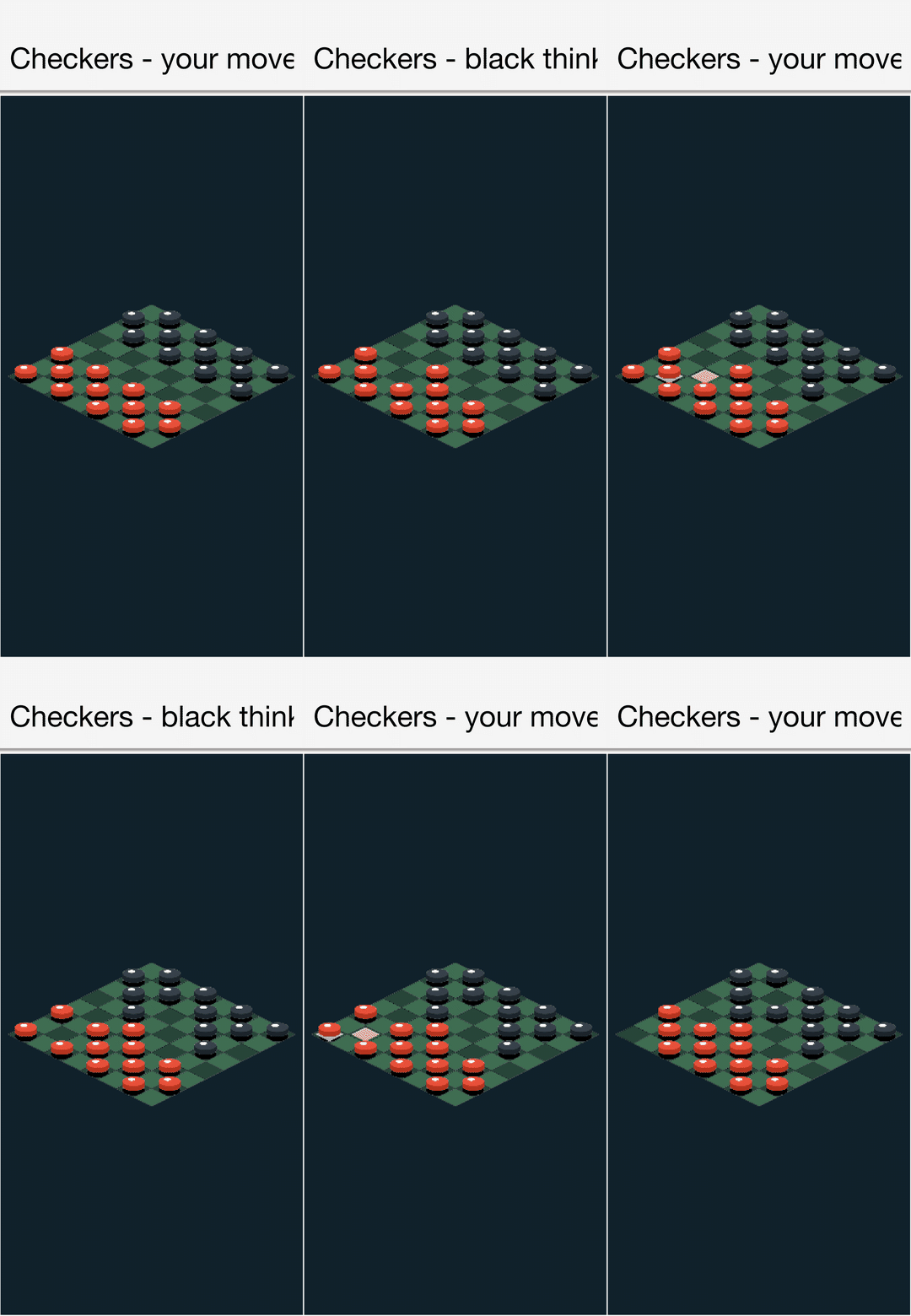
BoardGameSample is checkers against a small built-in AI, on an isometric board. Every tile and piece is a flat Sprite, but the 2:1 diamond projection and raised pieces give a convincing 3D look with no camera or models, the classic “faux 3D” trick, and the cell-to-pixel mapping it demonstrates underlies every isometric game.
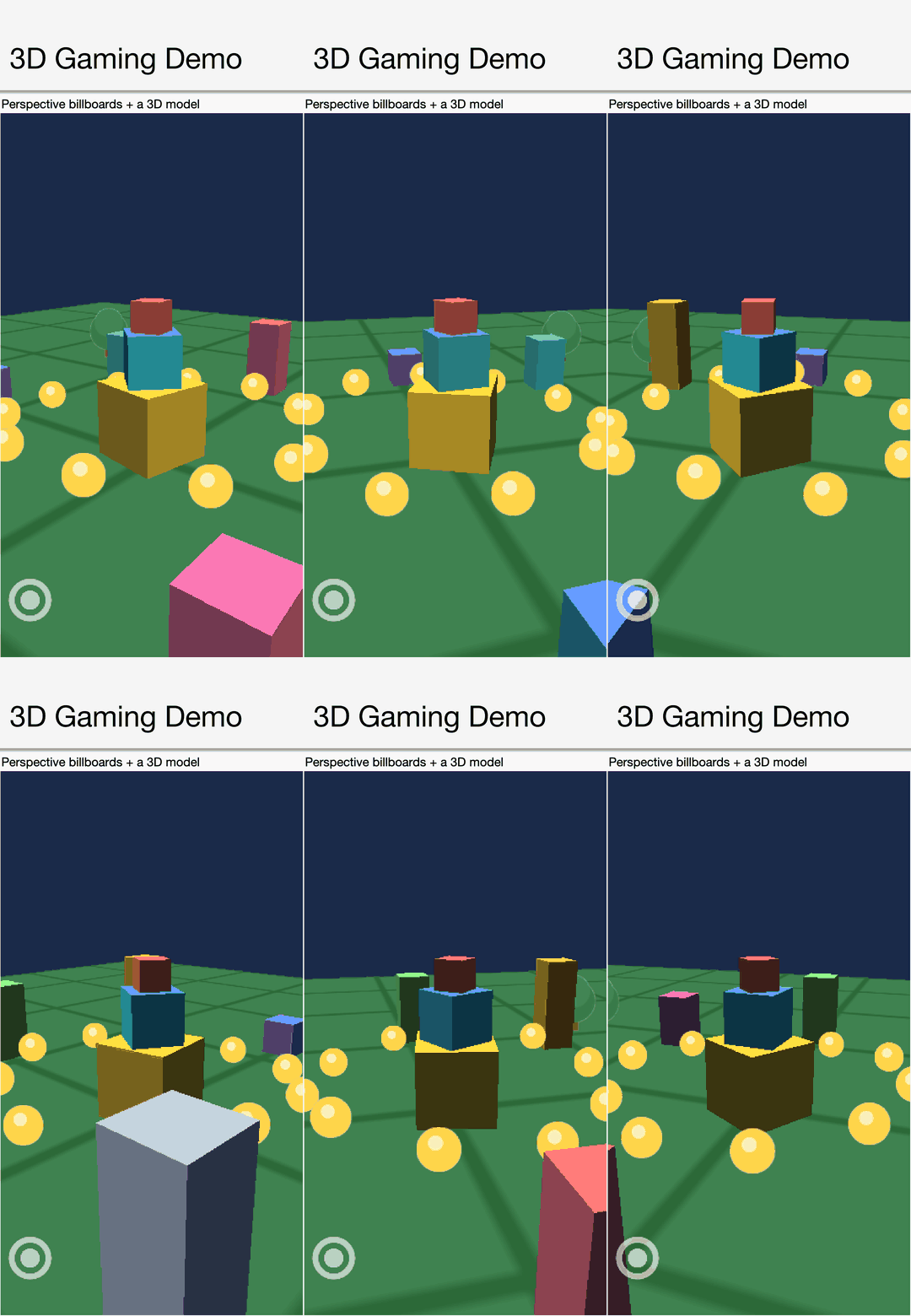
Gaming3DDemoSample crosses into real 3D: a lit, spinning model on a ground plane, a ring of billboarded coin sprites that always face the orbiting perspective camera, and touch controls, in about two hundred lines.
And GamingDemoSample is the physics demo this post opened with: Box2D bodies, linked sprites, and a SoundPool blip whose pitch varies per drop.
Where to go from here
The new Game Development chapter in the developer guide covers the loop, sprites, physics, and audio in detail, including case studies that walk through the card game and the isometric checkers above section by section.
If you build something with this, we genuinely want to see it, and if you hit a wall, file an issue with the smallest game that reproduces it.
Yesterday’s post covered the portable 3D API this is built on, and the release post has the full index. Your Java becomes a native Windows executable with no JVM in tomorrow's post.
Discussion
Join the conversation via GitHub Discussions.